Functions & details
Dealer account
Software features
Point of Sale
Add a payment method
Add a payment method
To make payouts faster and easier, you can set your preferred payment method directly in your merchant account.
For now, payments will continue to be processed as usual based on the invoice you upload for each contract. This invoice must still include a valid IBAN so that the payment can be correctly assigned.
You can also save a default payment method in your account. This will be automatically used for future contracts and payouts, reducing the administrative burden.
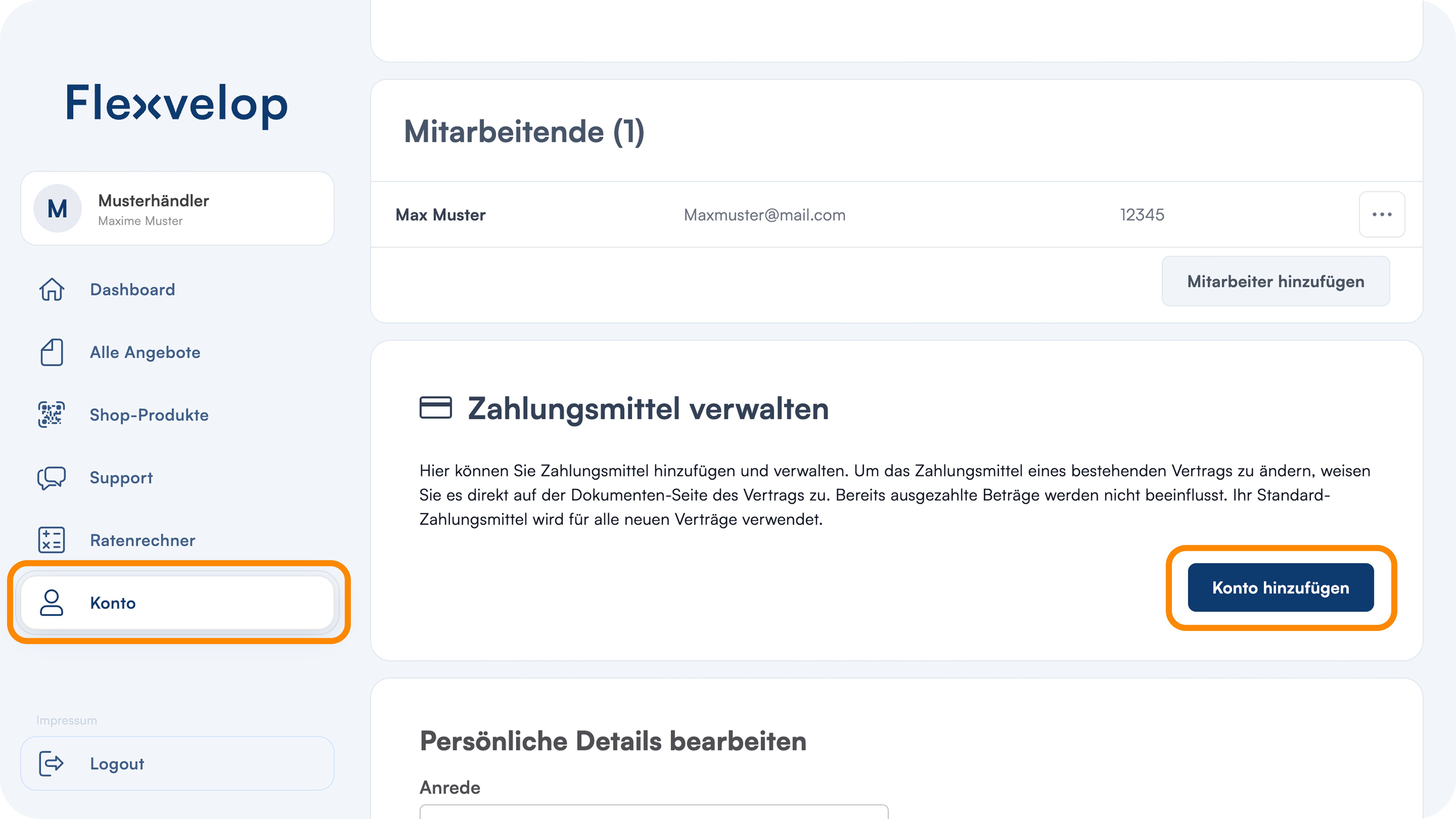
1. Manage payment methods
Open the "Account" section in the left-hand navigation bar and scroll down to the "Manage Payment Methods" section
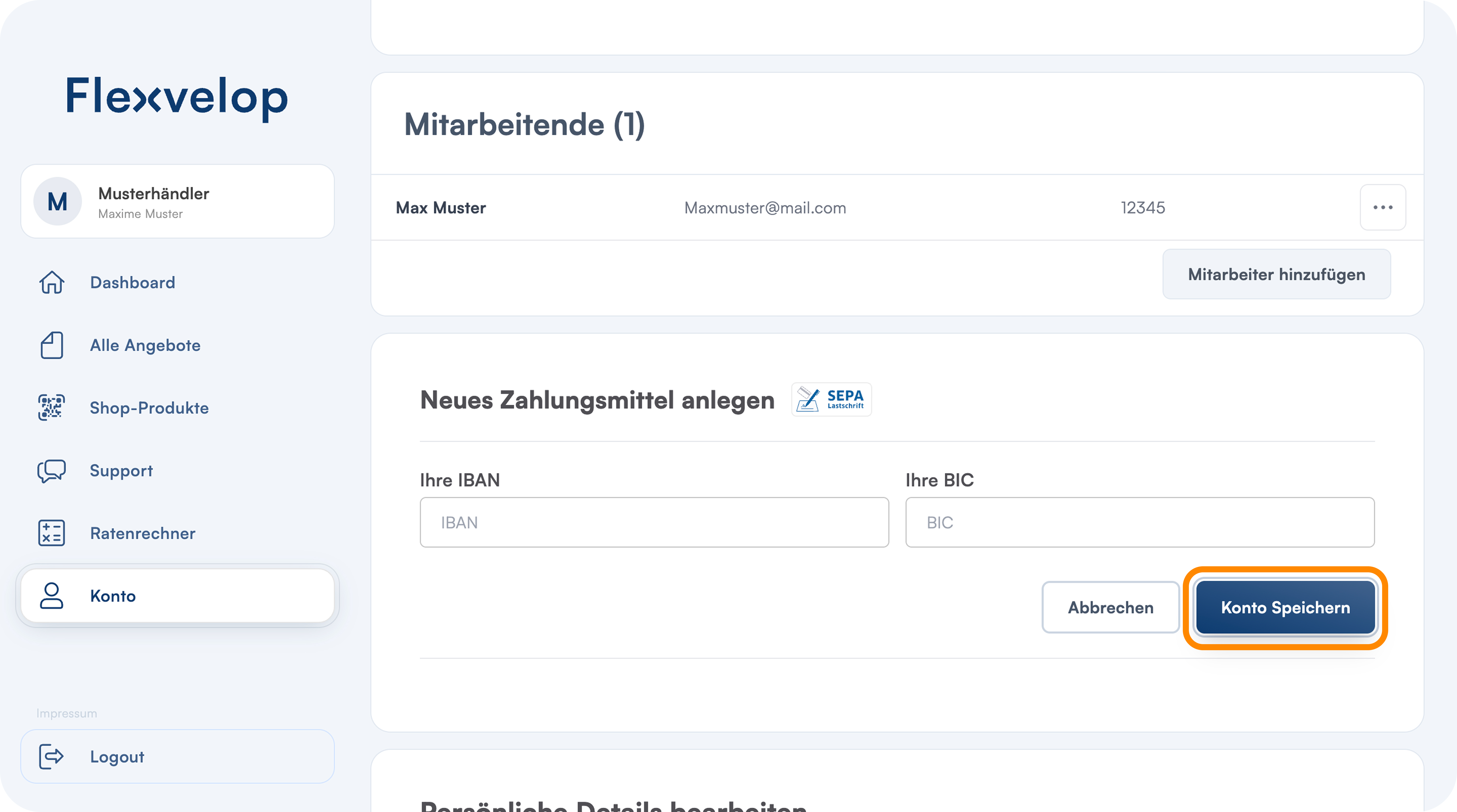
2. Save information
Click "Add Account, " enter your IBAN and BIC, and save your information to set up this payment method